Info
Introducing the OBDX Pro OBD2 Pin Guide
16
Oct
Oct
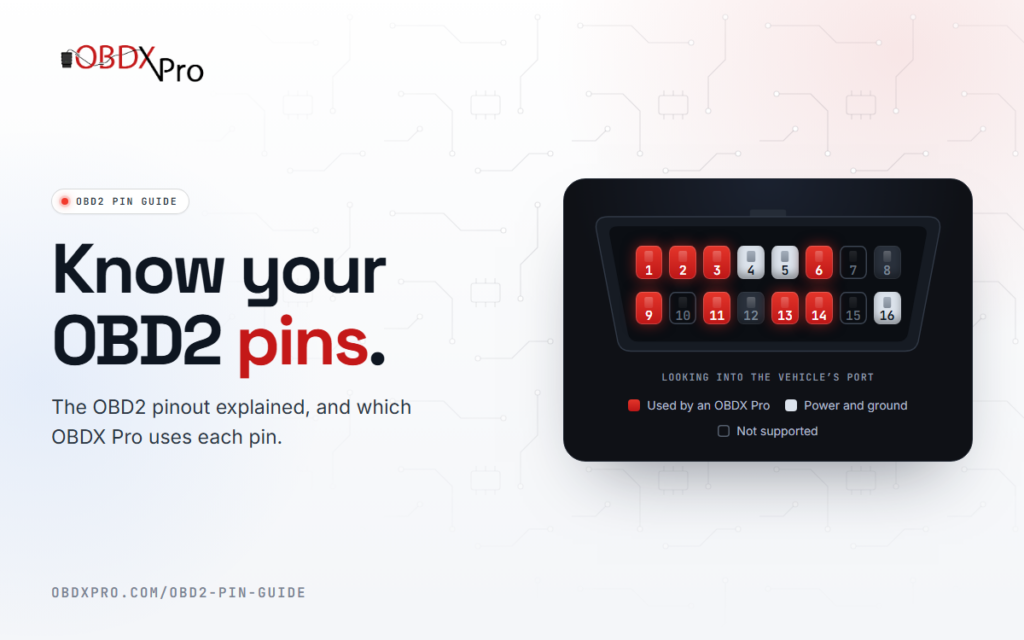
Not sure which OBDX Pro scantool suits your vehicle? Our new OBD2 pin guide helps you check for yourself, using the pins in your vehicle’s OBD2 port.
Every OBD2 port shares the same 16-pin layout, but a vehicle only fills the pins it uses. The pins with metal contacts point to the protocols your vehicle uses: high-speed CAN on pins 6 and 14, J1850 VPW on pin 2, GM single-wire CAN on pin 1, Holden ALDL on pin 9 and Ford medium-speed CAN on pins 3 and 11.
The guide covers:
- An interactive OBD2 connector. Pick the OBDX Pro GT, FT or VX to light up the pins it uses, or select a pin to see what it carries.
- What your pins tell you. The common pin combinations, the protocol each one points to, and which OBDX Pro supports it.
- The full OBD2 pinout. All 16 pins, their standard use, and which OBDX Pro uses each one.
Pins are a strong hint rather than a guarantee, so before you buy, also check that your software supports your vehicle and works with OBDX Pro hardware or J2534.
If you still have a question, send us a message.
